33% OFF on Full Surfacing Course
SolidWorks Surfacing Mastery
Master SOLIDWORKS Surfacing From Beginner to Advanced Through Real-World Projects — And Become Fully Prepared for the CSWPA-SU Exam
Most students struggle with SolidWorks Surfacing because:
They don’t understand the designer mindset needed for complex shapes
They don’t know which surfacing tools to use, or when
They struggle to repair broken surfaces and continue modeling
They can’t find real exam-style practice for the CSWPA-SU exam
They’ve never built real objects that require true surfacing skill
This course fixes all of that.
Whether you’re a complete beginner or already familiar with SolidWorks, this training gives you a clear, structured, real-world approach to mastering surfacing, and prepares you for CSWPA-SU certification with confidence.
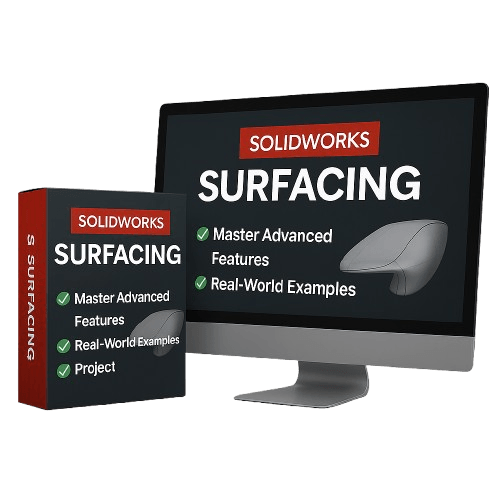
Introducing: The SolidWorks Surfacing Mastery
+ BONUS: CSWPA-SU Advanced Certification Prep
What’s Inside the Course:
1. Essential Sketching Tools for Surfacing
Build the foundation every surfacing designer needs: splines, 3D curves, guide curves, and sketch relations for smooth curvature.
2. Core Surfacing Features (Beginner → Professional)
Learn the real tools used in industry:
• Boundary Surface
• Lofted Surface
• Sweep + Guide Curves
• Filled Surface
• Freeform
• Planar Surface
• Offset Surface
• Ruled Surface
• Revolve / Extrude / Thicken
And more.
3. Surfacing Modification Tools
Fix, refine, and combine surfaces like a pro:
• Trim Surface
• Untrim
• Extend Surface
• Knit Surface
• Cut With Surface
• Surface Fillets
• Surface Thicken
• Loft Diagnostics & Repair Techniques
4. Real-World Surfacing Projects
Model complex objects step-by-step:
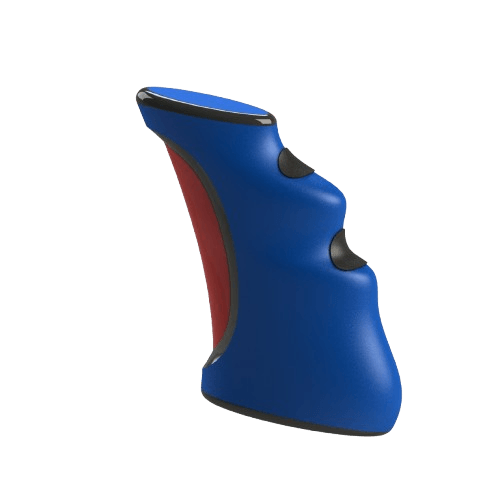
• Joystick
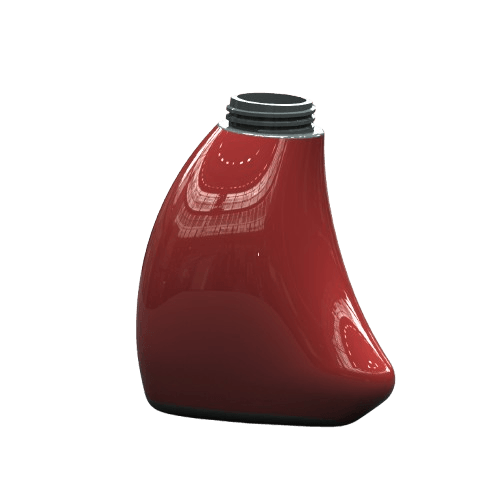
• Bottle
• Shovel
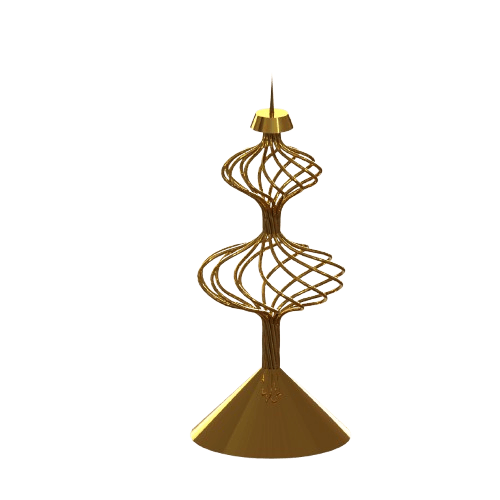
• Candle Holder
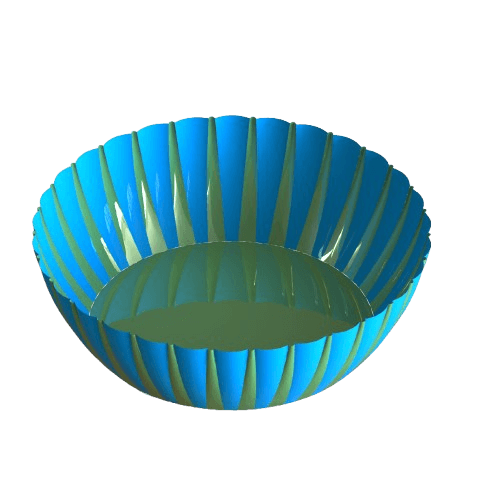
• Bowl
• Additional advanced shapes requiring curvature control
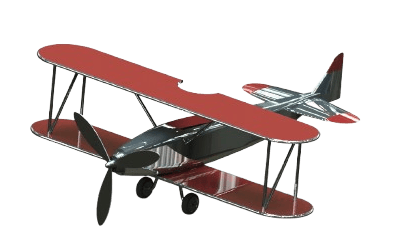
5. Complete Surfacing Project — Vintage Airplane
You’ll combine all major surfacing tools to build a polished, complex model from scratch.
This project strengthens your workflow, problem-solving, and confidence.
6. Full CSWPA-SU Exam Preparation
• Exam-style modeling
• Time-saving workflows
• Curve strategy planning
• Fixing broken geometry
• Sample exam + full video tutorial
• “Secret exam tricks” and common mistakes to avoid
This isn’t just about learning tools.
This is about becoming a top-level modeler who’s trusted with real projects — because you know how to build complex geometry that works.
You’re not just another student playing with part design.
You’re someone who can walk into a design review and say:
“Yes — I can build that.”
Real World Models You'll To Build In This Course
This Is For You If:
You know the basics of SolidWorks but feel stuck at intermediate level
You’ve tried surfacing before and got overwhelmed
You’re afraid to open the surfacing tab
You want to apply for product design jobs, but your parts all look boxy
You want to model like the top 5% — not stay stuck as “just a beginner”
What You’ll Get Today:
Full breakdown of boundary, loft, fill, trim, knit, mutual trim, and more
Real-world projects: joystick, bottle, shovel, bowl...
Surfacing workflows for part + surface hybrid models
How to fix gaps, transitions, and surface errors like a pro
BONUS: CSWPA-SU Exam Prep
©cadandengineeringschool
SOLIDWORKS is a registered trademark of Dassault Systemes SolidWorks Corporation and not related to cadandengineering.com. The intellectual property depicted in these 3D models are not affiliated with or endorsed by the original rights holders.