Your SolidWorks Drawing Mini Course is on its way to your inbox.
If you want to master SOLIDWORKS Drawings at a professional level, you can now get the complete SOLIDWORKS Drawing Mastery Course for only $17 instead of $97 — 80% off.
ONE TIME OFFER EXPIRES IN...
SolidWorks Drawing Mastery
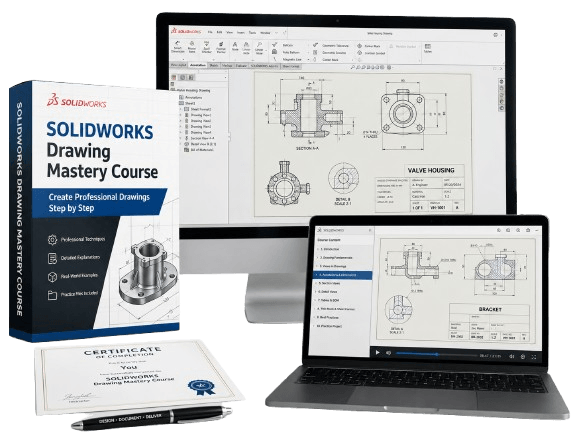
Learn to create professional SOLIDWORKS drawings + Prepare For CSWPA-DT Exam With Exam Samples
Most beginners struggle with SolidWorks drawings because:
They don’t understand proper drawing workflow
They don’t know which views, symbols, or tools to use
They can’t create drawings that match industry standards
They have never practiced exam-style drawing question
This course fixes all of that quickly.
Even if you’ve never created a drawing before, you’ll learn how to build clean, professional, manufacturing-ready drawings and become fully prepared for the CSWPA-DT (Drawing Tools) certification exam.
Everything is explained simply, clearly, and through real examples.


What You’ll Learn Inside the Course:
1. Drawing Foundations (Beginner-Friendly)
• Create and customize sheets
• Insert views, add dimensions, and set up documents properly
• Understand drawing standards used in engineering and manufacturing
2. All Essential & Advanced Drawing Views
Learn how to create:
• Section views
• Detail views
• Broken-out & break views
• Auxiliary views
• Relative views
• Crop views
• Alternate position views
• Isometric section views
You’ll quickly understand when and why each view is used in real engineering.
3. Professional Annotations & Symbols
Learn industry-critical tools:
• Surface finish
• Weld symbols
• Measurement tools
• Notes, leaders, linked notes, and annotations
These are required for real manufacturing drawings.
4. Complete BOM (Bill of Materials) Training
You will learn how to:
• Create a BOM
• Sort items
• Fix missing items
• Edit properties
• Use equations
• Manage components
• Connect notes to BOM data
5. Real Exam Preparation (CSWPA-DT)
You’ll practice with questions modeled after the real exam.
Includes:
• Step-by-step solutions
• Mistakes to avoid
• Techniques to save time
• 2 full CSWPA-DT practice exams
6. Practical Projects & Exercises
You will complete multiple exercises designed to build real-world confidence — exactly what employers look for.
Then the problem isn’t effort.
It’s foundation.
And foundations must be built correctly from the start.
Otherwise you'll later waste time to unlearn bad habits.

By the End of This Course, You Will:
• Create professional SOLIDWORKS drawings from scratch
• Use advanced view tools with confidence
• Add correct annotations, dimensions, and symbols
• Build and manage BOMs for real assemblies
• Understand industry drawing standards
• Feel fully prepared for the CSWPA-DT exam
• Strengthen your CAD portfolio
• List “SOLIDWORKS Drawings” confidently on your résumé
• Apply for CAD technician, draftsman, or design engineering roles

Type: Online Course
Award: Certificate
Language: English
Level: Intermediate
Duration: 3h 15min
Access: Lifetime
Learners: 3800+
Rating: 4.5
Start SolidWorks Drawing Mastery – $17 ($97)
ONE TIME OFFER EXPIRES IN...
©cadandengineeringschool
SOLIDWORKS is a registered trademark of Dassault Systemes SolidWorks Corporation and not related to cadandengineering.com. The intellectual property depicted in these 3D models are not affiliated with or endorsed by the original rights holders.